Announcing Query Insights For Prisma Postgres


Query Insights gives you built-in visibility into how your database queries behave in production. It is included in Prisma Postgres and works out of the box without any setup.
Why we built Query Insights
When something feels slow in your app, the first question is usually simple:
Which query is causing this?
The hard part is getting the answer.
A request takes longer than usual. An endpoint starts timing out. Database usage increases. But it is often difficult to understand which queries are responsible, how often they run, and how much load they create.
This matters even more now that many developers are building with AI tools.
AI can help you move faster, but it can also generate database logic that does more work than necessary. A single user action can end up triggering many queries instead of a small number of efficient ones, which increases latency and database usage.
We built Query Insights to give you a clear view of what your database is doing in production.
Because it is built into Prisma Postgres, you can immediately see which queries are slow, which ones run most often, and which ones are having the biggest impact on your database.
Open your dashboard and see what your database is doing
Query Insights is available directly inside Prisma Postgres.
There is no setup required.
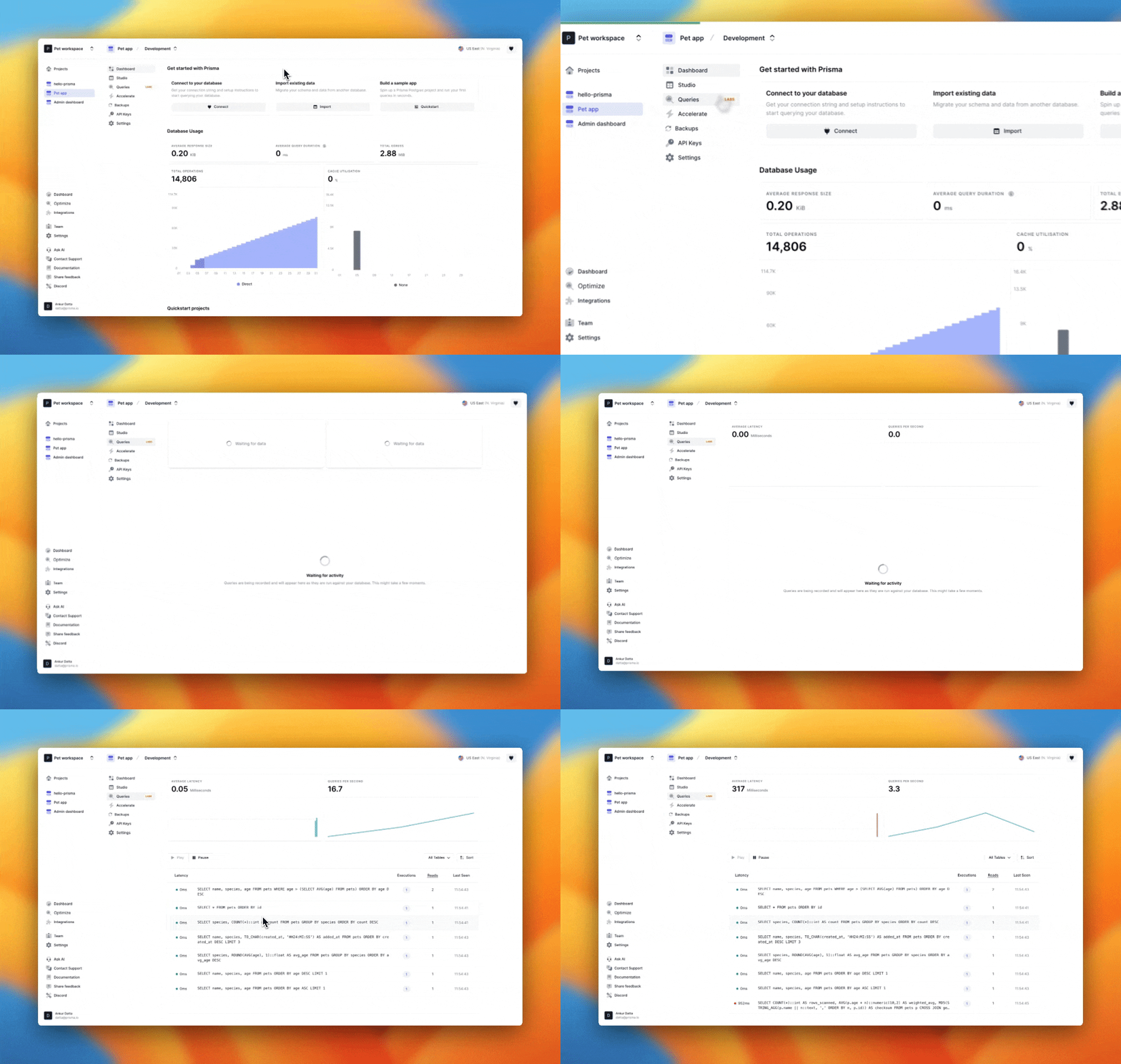
Just open your Prisma Postgres dashboard, go to the Queries tab, and you can immediately see how your queries behave in production.
Instead of guessing where performance issues might be coming from, you get a clear view of the queries your application is running and how they affect your database.
Quickly spot the queries that matter
When you open the Queries tab, patterns start to appear.
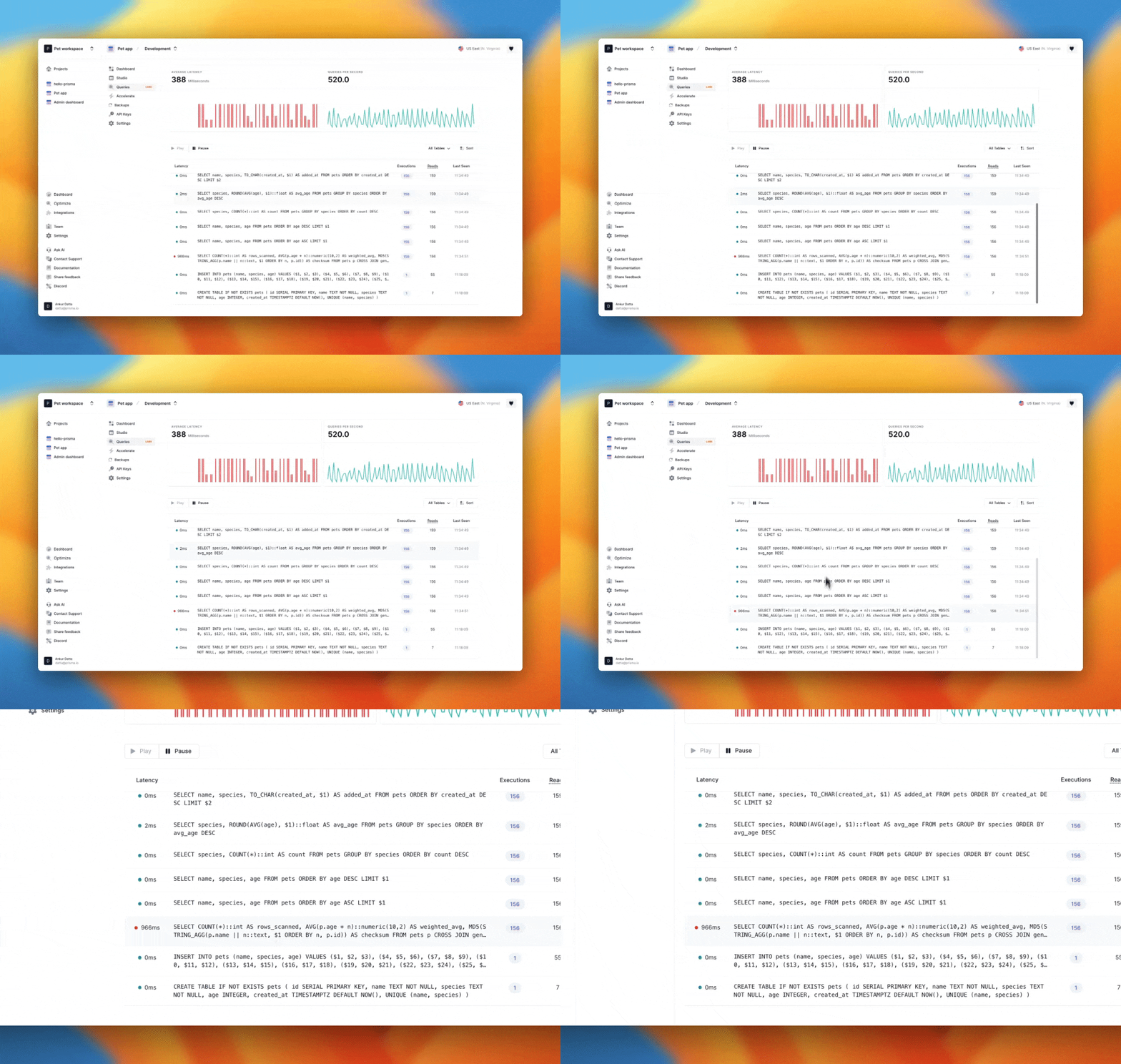
Queries are grouped by their shape, which makes them easier to analyze. For each group, you can see latency, read volume, and how often the query runs.
This helps answer questions you often run into when debugging performance:
- Which queries are slowing down my application?
- Which queries are creating the most load on my database?
- Which queries run often enough that optimizing them would make a difference?
Instead of digging through logs or trying to reproduce an issue locally, you can quickly see which queries have the biggest impact.
Turn a slow query into an optimization prompt for your agent
Once you find a query that needs attention, the next step is figuring out how to improve it.
Query Insights helps with that too.
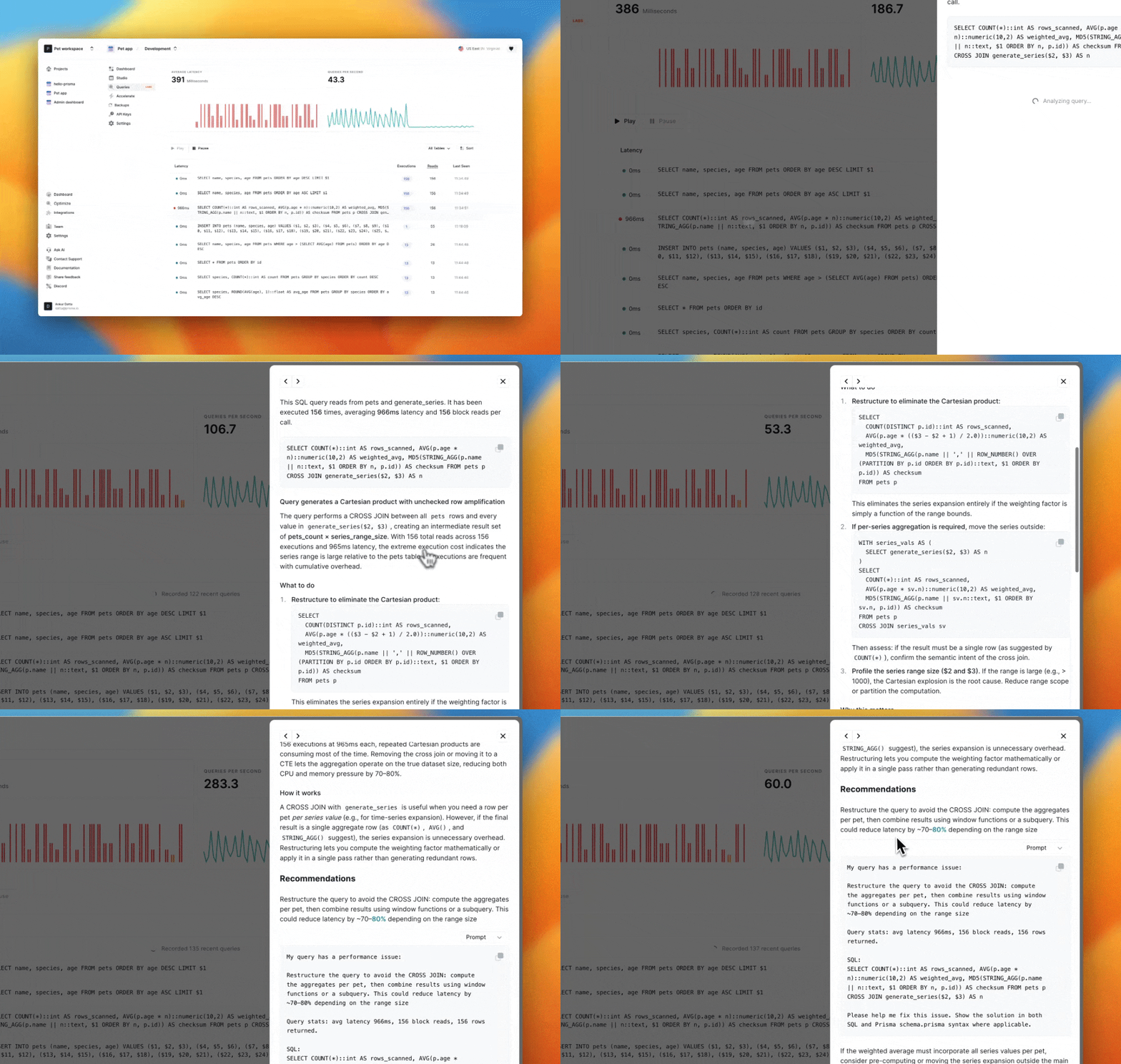
For each query group, it generates a structured optimization prompt. The prompt explains why the query might be inefficient, highlights possible causes such as missing indexes or unnecessary reads, and suggests ways to improve performance.
You can copy this prompt and paste it into your preferred AI coding assistant to explore possible optimizations.
Instead of staring at a slow query and wondering where to start, you get a clear direction on what to investigate.
See the path from application code to SQL
Performance issues often involve multiple layers of your stack.
An endpoint in your application becomes slow. That request triggers a query. That query turns into SQL executed by your database.
Query Insights helps connect these layers.
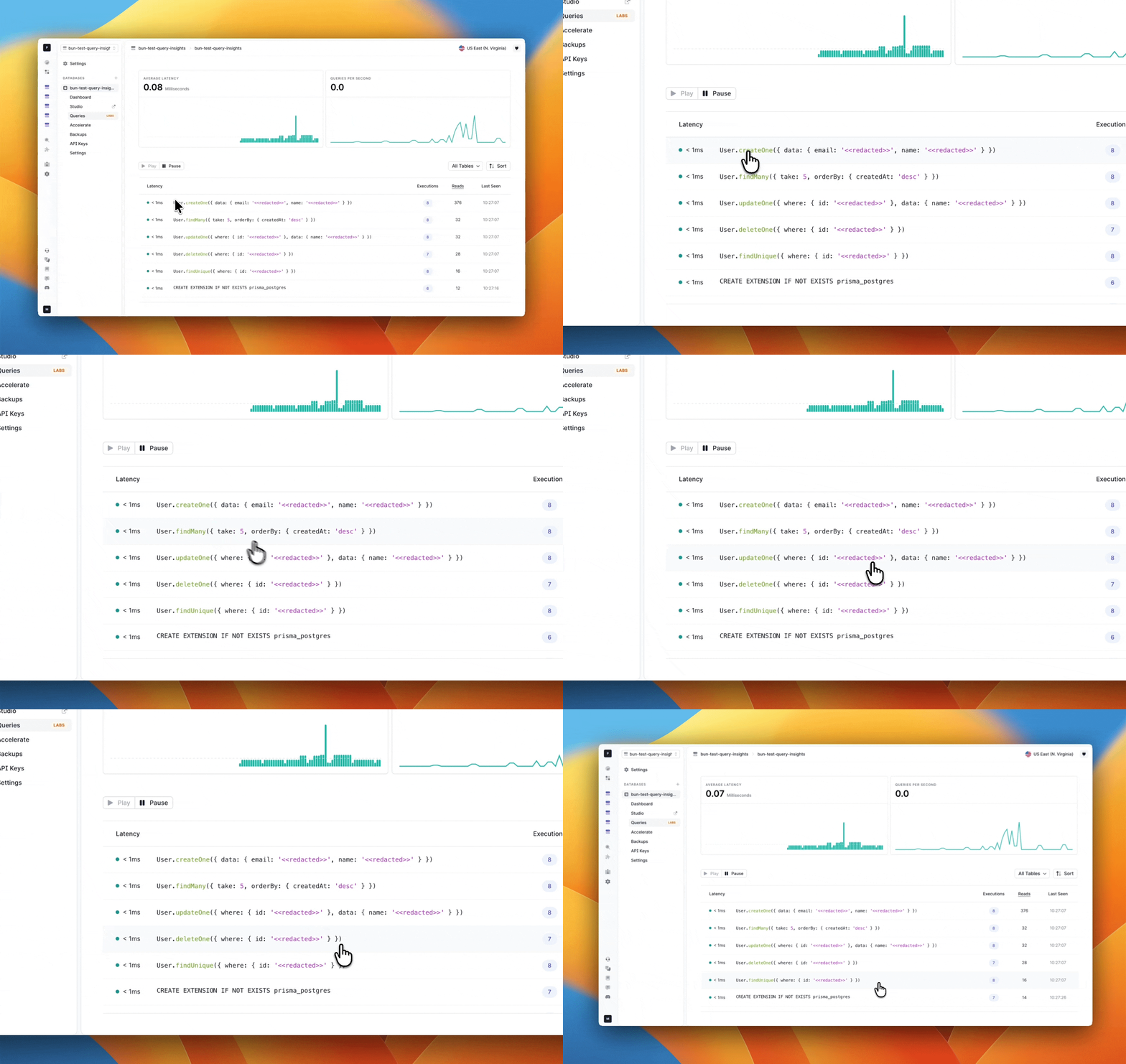
It links your application query to the SQL generated by Prisma ORM, and shows the runtime impact of that query.
This makes it easier to understand exactly which part of your code is responsible for increased load or slower responses.
ORM-to-SQL attribution works specifically with Prisma ORM. At the same time, Query Insights also shows SQL coming from other tools so you still get a complete picture of what is happening in your database.
Built in and ready to use
Query Insights is included with Prisma Postgres and there is nothing to enable.
Create a database, open the Queries tab, and start exploring how your queries behave in production.
Visit the console
This is just the beginning! We are continuing to improve Query Insights and add more capabilities.
More updates are on the way, so stay tuned on our X or Discord!